Dance Mat Typing
A twelve-stage home row course in four levels. The next key you need lights up as you go.
NO BEST YET — PLAY A ROUND
Number pad practice that is not a spreadsheet. Figures drop down the ledger — whole numbers first, then decimals, currency and invoice codes — and you clear each one by typing it exactly as shown, dollar signs and dots included.
Last updated:
| What you type | Whole numbers → Decimals → Currency → Invoice codes; the next round starts every 6 entries cleared |
|---|---|
| Keys trained | Number row or numeric keypad (10-key), plus . $ and - |
| Lives | 3: an entry reaching the bottom costs one |
| Suggested age | 10+ |
| Cost and setup | Free, runs in the browser, no account needed |
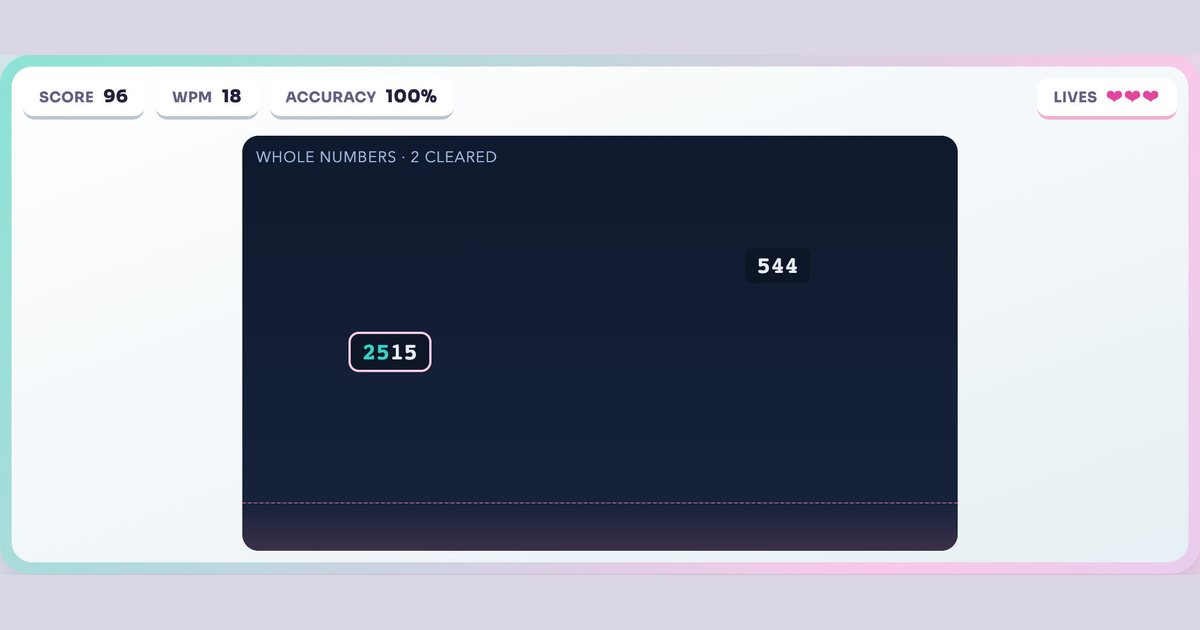
Entries fall from the top of the ledger. Start typing any figure and it locks on; finish it before it reaches the bottom and it clears. Let three fall through and the round is over. Every six clears, the format steps up: whole numbers, then two-decimal figures, then currency with a dollar sign, then hyphenated invoice codes.
The formats matter more than the speed. Typing 4821 is easy; typing $1,and then remembering the decimal point while a second figure is falling is what actual data entry feels like. Mixing the symbol keys in with the digits is the part most number drills leave out.
Ten-key work is measured in keystrokes per hour rather than words per minute, because the unit is a digit, not a word. Data entry roles commonly ask for somewhere around 8,000 to 10,000 KPH with high accuracy, and accuracy is weighted harder than speed — a transposed digit in an invoice total is a different kind of mistake than a typo in a sentence.
That is why this game ends on three misses rather than running a timer to zero. The failure you want to train out is the rushed entry, not the slow one.
The number pad has its own home row: index finger on 4, middle on 5, ring on 6. Most keypads put a raised bump on the 5 so you can find the position without looking, the same way F and J work on the letter keyboard. Thumb handles 0, and the little finger covers Enter and the operators on the right edge.
From there every digit is one reach: 7-8-9 up, 1-2-3 down, and the fingers return to 4-5-6 between entries. If you are currently typing numbers with one hovering index finger, adopting the home position will feel slower for about a day and then overtake your old speed permanently.
Laptops without a separate keypad are not shut out — the game accepts the number row across the top just the same. The technique differs: on the top row each finger owns the digits directly above its home-row key, so the reach comes from the whole hand rather than a fixed 4-5-6 anchor.
It is worth learning both if you use a laptop at home and a full keyboard at work. When you want letters back instead of digits, the typing speed test measures words per minute on ordinary text, and typing games for adults collects the harder games on the site.
Earn badges as you play — they save on this device, or sign in to keep them on every device and join the leaderboard.
Entering numbers using the numeric keypad on the right of a full keyboard, with the index, middle and ring fingers resting on 4, 5 and 6. It is a separate skill from letter typing and is measured in keystrokes per hour.
Data entry roles commonly look for roughly 8,000 to 10,000 keystrokes per hour with high accuracy. Accuracy carries more weight than raw speed, because a transposed digit changes a value rather than producing an obvious typo.
Yes. The number row along the top of any keyboard works exactly the same in this game — only the finger technique differs.
Yes. The formats step up as you clear entries: whole numbers, then two-decimal figures, then currency with a dollar sign, then hyphenated codes.
It drills the same motions — digits, decimal points and symbols under mild time pressure. It is practice rather than certification, but the 4-5-6 home position it trains is the technique those roles assume.
Index finger on 4, middle on 5, ring on 6, with the thumb on 0. Most keypads have a raised bump on the 5 so you can find it without looking.
Yes — free in your browser, no download and no account needed.